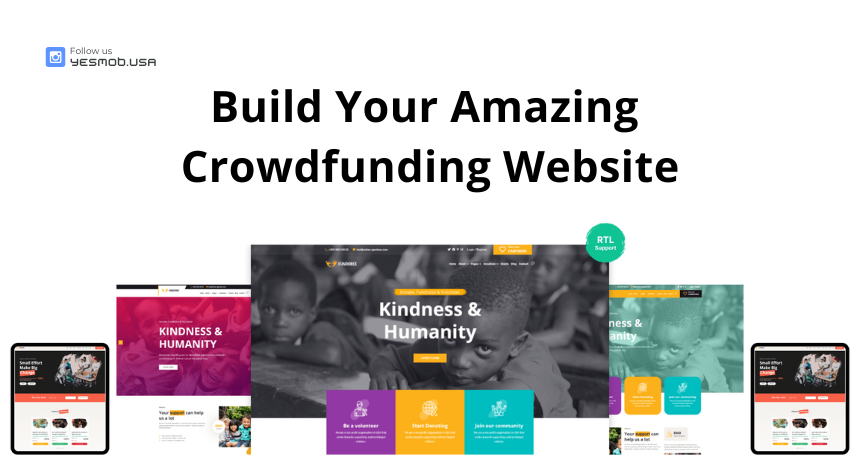
StartupFuel has brought an incredible change in how you build a crowdfunding platform. It helps you raise money or funds for your cause quickly and easily. It is compatible with desktop, laptop, mobile, and all major browsers. It's easy to customize and also well documented.
StartupFuel offers the option for users to register and raise funds through campaigns, but the admin needs to approve the user campaign before it’s displayed on the website. Users can also request to withdraw the raised amount via admin approval.
Features like Donation Campaign Module, User Campaigns, Events Module, and Jobs Module are included in StartupFuel. It supports 17+ payment gateways, and the Drag & Drop feature makes it easy for non-technical users.
The admin can create and manage all donation campaigns from the admin panel. The admin can also add updates to campaigns, check user withdrawal requests, and approve them, having full control over the donation module.
The admin has the option to add updates about the donation cause, allowing the raiser to show visitors where the funds have been spent or the current status of the campaign.
The admin can add FAQs for the donation cause, and the campaign owner can easily answer common questions using the FAQ option.
Campaign owners can add an image gallery for the donation campaign or choose to use a single image.
Campaign owners can manage all comments on the campaign.
The admin can manage all user withdrawal requests. The admin will see all details about the donations, including how much has been raised, the available balance, and the admin’s charge. The admin needs to pay the user manually, after which they will approve it and provide the transaction ID and payment receipt. The admin can also add additional comments, and will not be able to approve withdrawals if the user's balance is too low.
The admin can set charges from the admin panel for each donation, either as a percentage or a fixed amount. The admin can enable or disable this charge. Future updates will include the option to set individual charges for users.
Users can create their own donation campaigns to raise money by registering on the website. After logging in using Facebook or Google, they can create a donation campaign, which will require admin approval before going live.
Users can add FAQs for their created donation cause, allowing them to answer common questions directly via the FAQ option.
Users can add an image gallery for their donation campaign or upload a single image for the campaign.
Users can send withdrawal requests to the admin at any time from their dashboard. They can only request the amount available for withdrawal, which is automatically validated by the admin panel. Users must select a payment gateway enabled by the admin and provide the required payment details to receive their funds.
You can showcase your events and sell event tickets with this script. It includes event organizer details and venue information, with the option to add a Google Maps location for event venues. Users can pay for pending event ticket payments directly from their dashboard and even cancel tickets via the same interface. Both the admin and user will receive email notifications if any changes are made.
StartupFuel comes with job posting support. You can post any job by category, and applicants can apply using email or an application form. The admin can configure whether to use an application form or email for receiving applicant CVs. The admin can also see all applicant details in the admin panel and set an application fee for job applications.
StartupFuel includes a drag-and-drop menu builder with mega menu support. You can easily sort and organize menu items, create dropdowns, or add a mega menu with custom items.
StartupFuel offers a powerful drag-and-drop form builder with various field types like text, number, email, select, checkbox, textarea, and file upload. You can easily customize any form within the system and define whether a field is required or not.
This script comes with a widget builder featuring 9 pre-made widgets. You can create a footer widget area, add widgets such as newsletters, or even display an image. You have full control over the widget areas and can customize them to meet your needs.